Your logo and colors
Give your clients a consistent experience from your business, with white labeling included.
Client Portal
When you invite a client into their individual portal, they have a dedicated place to see their deals, respond to requests, upload documents and stay in touch with your team—all under your business’s identity.
What your client sees when you invite them into their individual portal
Keep every client in the loop
Give each deal a direct line between your team and your client. Ask questions, share updates and exchange supporting files with the context already in view.
From request to review
Request the information you need and keep the response with the deal. Clients can upload files, respond to your team and follow the conversation in context.
Step into your client’s portal
See how a client moves from their branded dashboard to a document request and a conversation about the same deal.
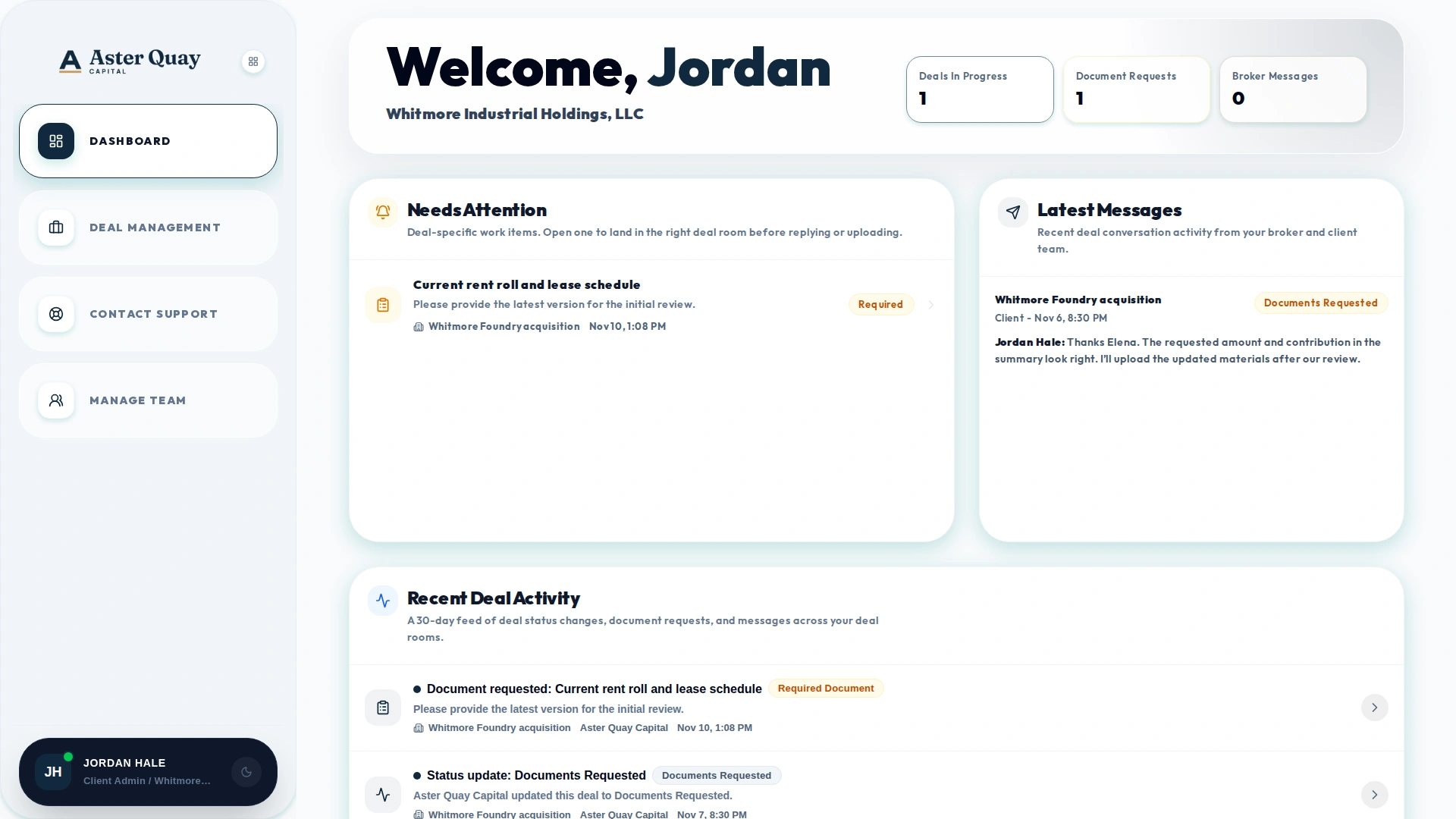
Your client enters a portal with your business’s identity. Their dashboard brings together the deal, your latest message and the document you need next.
Give your clients a consistent experience from your business, with white labeling included.
Use portal.yourdomain.com for a portal that feels like part of your business.
Invite the right client contacts and manage their access to individual deals.
Take a closer look
The client portal is part of Broker Studio, with workspace and portal white labeling included at no additional cost.
Yes. Use a portal subdomain on your business’s domain, such as portal.yourdomain.com.
Built for Commercial Capital Brokers
See how Broker Studio brings your business and your clients’ financing workflow together.